Hokkaido at a glance
| Hokkaido (Lichii Android fork) | |
|---|---|
| Repository | pavelgajdo/Hokkaido, a GitHub fork of zortos293/Lichii |
| Former name | Called Lichii for Android from android-0.1.0 through android-0.5.0; renamed Hokkaido in android-0.6.1 (melon icon, orange progress bars) |
| Android package ID | dev.lichii.android (unchanged across the rename so existing installs update in place and keep saves and settings) |
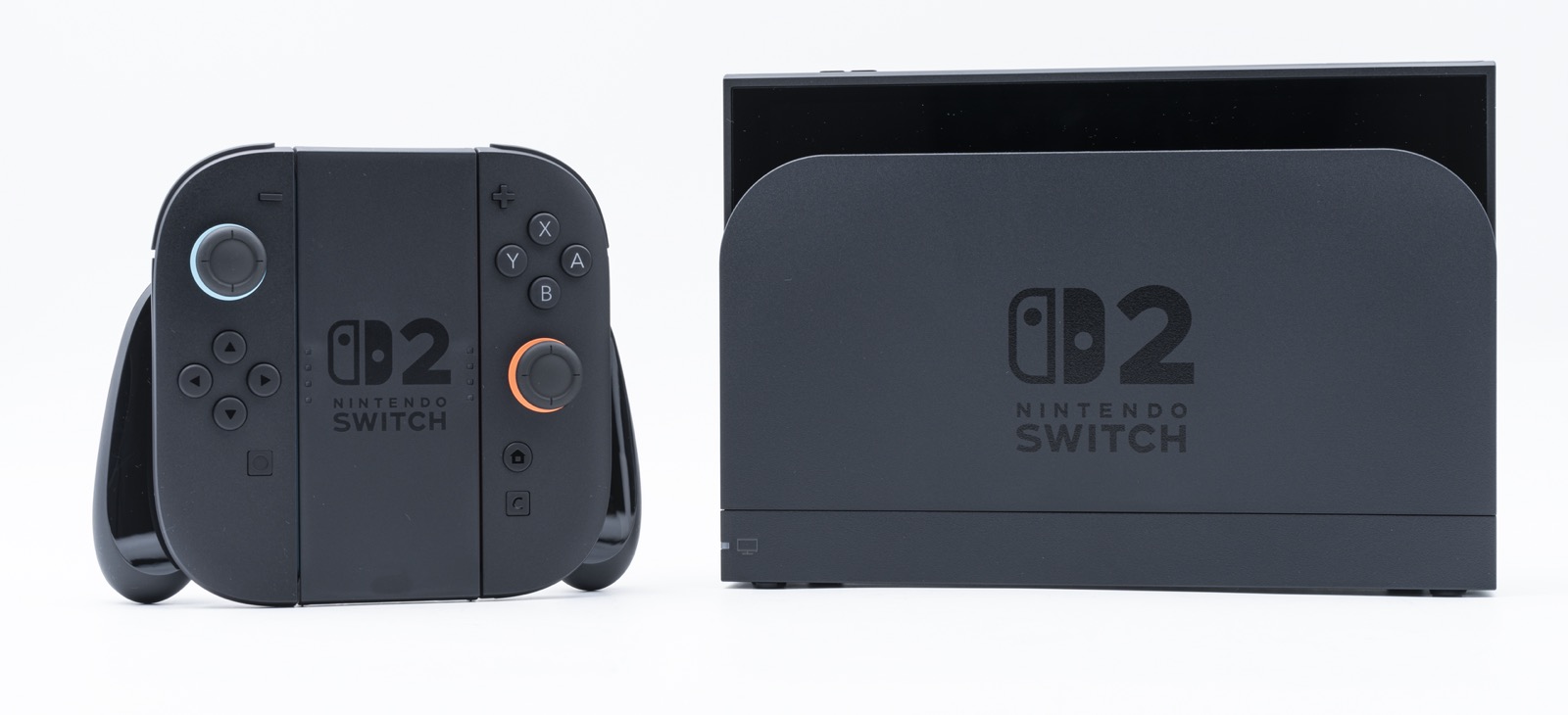
| Platform | Android 13+ (ARM64 / arm64-v8a) with Vulkan 1.3 |
| Newest versioned release | android-0.7.0, published November 17, 2026 (regular release) |
| Releases / downloads | 12 versioned releases + 1 rolling android-latest pre-release, 26,193 total APK downloads |
| Stars / forks | 258 stars / 14 forks on November 17, 2026 |
| Created on GitHub | November 5, 2026 |
| License | GPL-3.0 |
| Tested phones in notes | Samsung Galaxy S26 (Exynos 2600, Xclipse 960, 12 GB RAM) & Galaxy S25 (Snapdragon 8 Elite, Adreno 830, 12 GB RAM) on Android 17 in 0.6.6 (plus Galaxy S24 Exynos 2400 8 GB in earlier notes), with custom Mesa RADV Xclipse driver (Mesa 27.0-devel) |
Important distinction: Mainline zortos293/Lichii and Frizti/Fritchii do not publish an official Android APK (see Lichii & Fritchii on Android: official status, lichii-linux-aarch64 vs Android & fake APK malware warnings). pavelgajdo/Hokkaido is an independent open-source fork on GitHub that builds and maintains the Android port. Report Android issues on github.com/pavelgajdo/Hokkaido/issues, not on the desktop Lichii tracker.
Latest Hokkaido APK download (android-0.7.0)
Every release on github.com/pavelgajdo/Hokkaido/releases attaches app-mainline-release.apk. Pick the latest numbered release (android-0.7.0) for tested changes, or android-latest if you want the rolling build from the newest commit.
| Release tag | Date | Channel | File | Size | Bytes | Downloads | Link |
|---|---|---|---|---|---|---|---|
android-0.7.0 | November 17, 2026 | regular release | app-mainline-release.apk | 79.9 MB | 79,907,856 | 0 | Download APK |
android-0.6.6 | November 15, 2026 | regular release | app-mainline-release.apk | 31.2 MB | 31,174,537 | 1,868 | Download APK |
android-0.6.5 | November 15, 2026 | regular release | app-mainline-release.apk | 31.2 MB | 31,173,469 | 601 | Download APK |
android-0.6.4 | November 14, 2026 | regular release | app-mainline-release.apk | 31.2 MB | 31,162,049 | 1,632 | Download APK |
android-0.6.3 | November 11, 2026 | regular release | app-mainline-release.apk | 31.2 MB | 31,155,933 | 3,625 | Download APK |
android-0.6.2 | November 10, 2026 | regular release | app-mainline-release.apk | 31.1 MB | 31,139,737 | 2,597 | Download APK |
android-0.6.1 | November 10, 2026 | regular release | app-mainline-release.apk | 31.1 MB | 31,132,637 | 2,380 | Download APK |
android-0.5.0 | November 9, 2026 | regular release | app-mainline-release.apk | 30.3 MB | 30,267,097 | 3,221 | Download APK |
android-0.4.0 | November 8, 2026 | regular release | app-mainline-release.apk | 30.2 MB | 30,224,709 | 2,470 | Download APK |
android-0.3.0 | November 7, 2026 | regular release | app-mainline-release.apk | 30.0 MB | 29,993,865 | 4,436 | Download APK |
android-0.2.0 | November 6, 2026 | regular release | app-mainline-release.apk | 30.0 MB | 29,983,793 | 1,912 | Download APK |
android-0.1.0 | November 5, 2026 | regular release | app-mainline-release.apk | 29.9 MB | 29,854,601 | 1,451 | Download APK |
android-latest | November 5, 2026 | rolling pre-release | app-mainline-release.apk | 79.9 MB | 79,908,168 | 0 | Rolling APK |
- Download
app-mainline-release.apk(79.9 MB,79,907,856bytes) from theandroid-0.7.0release on GitHub. - Verify its SHA-256 digest against the table below before installing.
- Install the APK on an ARM64 phone running Android 13 or newer. If you already had “Lichii for Android” (0.1.0–0.5.0) installed, Android updates it to Hokkaido in place and keeps your games, saves and settings.
- In the app, complete the setup steps to load your legally dumped Switch / Switch 2 keys, firmware and game folder, and install a custom Turnip or Mesa RADV driver via the built-in GPU driver manager if your phone’s stock Vulkan driver has rendering bugs.
Tested Switch 2 games and Android performance
The README and release notes document results on Samsung Galaxy S26 (Exynos 2600 / Xclipse 960, 12 GB RAM), Galaxy S25 (Snapdragon 8 Elite / Adreno 830, 12 GB RAM) and Galaxy S24 (Exynos 2400 / Xclipse 940, 8 GB RAM) at 0.5x resolution in Handheld mode:
| Game | Status on Hokkaido | What the release notes report |
|---|---|---|
| The Legend of Zelda: Ocarina of Time (Switch 2) | Playable (15–20+ FPS gameplay, 60 FPS intro) | Title screen and intro movies run at 60 FPS via Android MediaCodec hardware AV1 decoding (0.1.0); Kokiri Forest gameplay reaches 15–20 FPS at 0.5x with Dark’s Dynamic FPS built in (0.3.0); skips slow tensor-math anti-aliasing by default (0.5.0); mesh-shader geometry drawn through compute on every device, guard house freeze patched and ocarina crackle fixed (0.6.3); version 1.0 works with No Sharpening AA (0.6.4). 0.6.5–0.6.6 notes: 16 GB RAM is now recommended (no longer optimized for 12 GB phones, where low memory can close it), and some Snapdragon phones stay on a black screen after the intro movie (#12; the tested S25 gets past it). |
| Pokémon Pokopia | Playable, sky fixed in 0.6.6 | Reaches ~40 FPS in gameplay at 0.5x resolution since 0.2.0 (tested on Galaxy S24 8 GB). Version 0.6.6 fixes the black sky under NCE by fetching GPU-drawn memory on reads and keeping reactive flushing on (#17; 0.6.6 notes mention Pokopia runs slower than in earlier versions, under investigation). |
| Fire Emblem: Fortune’s Weave | Playable (0.6.2 fix) | Version 0.6.2 replaces the game’s DLSS pass with temporal FSR 3.1 upscaling using motion vectors at 0.5x resolution, presents a frame ahead when set to Auto, and stops stalling on unanswered Xclipse occlusion queries. |
| Fast Fusion | Enters races (0.6.5 fix, slow) | Version 0.6.1 restored the main menu, and version 0.6.5 gets past the title screen and into races by keeping 0.5x scaling render targets alive while cached helpers still reference them (runs in slow motion with a shimmering image). |
| Orbitals | Gets past logos (0.6.2 fix) | Version 0.6.2 gets past the startup logos; known issues note it shows a black screen after them. |
| Pragmata | Startup error fixed (0.5.0) | Version 0.5.0 fixed startup error 2153-0513. |
What each Hokkaido release fixed
android-0.7.0(November 17, 2026): Embeds Banana Native v0.3.41 inside the APK as a selectable per-game second engine (Game properties › Engine: Auto, Hokkaido or Banana Native; Auto picks Banana Native for Donkey Kong Bananza, Pokémon Pokopia, Mario Kart World, Fire Emblem: Fortune’s Weave and Star Fox, and offers experimental Banana Native profiles including Ocarina of Time on Exynos RADV, sharing GPU drivers, saves and Hokkaido’s in-game Quick settings). On the Hokkaido engine,0.7.0adds 0–3 Frame skip (#19 by Diriande), frees Switch 2 RAM when stopping a game (#634), fixes NCE zero-register stack-pointer corruption (#740), stops Yoshi movie error2162-0001, fixes Mario Tennis Fever match-start exits on Xclipse, fixes Donkey Kong Bananza RADV tutorial video noise, and restores Mario Kart World half-precision roads and steady dynamic resolution.android-0.6.6(November 15, 2026): Pokémon Pokopia’s sky renders — under NCE, a game read from memory the GPU had drawn into was treated as a write and discarded the GPU’s output; reads now fetch the GPU’s data and reactive flushing stays enabled for Pokopia (#17 by Diriande). Tested on Galaxy S26 (Exynos 2600) and Galaxy S25 (Snapdragon 8 Elite), confirming Exynos performance improvements carry over to Snapdragon.android-0.6.5(November 15, 2026): Fast Fusion gets past its title screen and into races (fixing freed 0.5x render targets still referenced by a cached scaling helper, though gameplay remains slow and shimmering); notes that Ocarina of Time is no longer optimized for 12 GB phones and recommends 16 GB RAM; brings upstream speed and stability ports (GPU address-space reuse, reused command-list copies, cheaper occlusion-query locks, lazy game-file section opens, texture-free write-trap skips, unbacked render-target crash guard, bit-field extract shader fix, complete ASTC upload submission, and 1-second log flushing plusEDEN_NX2_GPU_LIST_DUMP).android-0.6.4(November 14, 2026): Shaders referencing an empty texture slot now treat it as a normal 2D texture so compilation succeeds (fixing Pokémon Legends: Z-A’s blank screen); fixed a shader translator stack crash on loop patterns in Kirby Air Riders; Ocarina of Time version 1.0 now works with No Sharpening anti-aliasing; disabled Adreno Low Resolution Z where it misdraws geometry; kept uneven-mip ASTC textures compressed instead of expanding them in GPU RAM; stopped reading page-sharing buffers back on the CPU; fixed a crash in Yoshi and the Mysterious Book and an occasional game-exit crash.android-0.6.3(November 13, 2026): Ocarina of Time’s mesh-shader geometry is now drawn through compute on every device, not only on Xclipse, and the upstream guard house freeze patch and ocarina crackle fix are included; less GPU-thread work per frame (a run of uploads goes to the GPU as one command with one pair of barriers, each compute dispatch records its barrier in its own command, empty submissions are skipped); GPU memory the game destroys is released, a buffer that does not fit the memory budget is allocated anyway instead of closing the game, and waiting threads are released when a game stops; upstream rendering fixes; the app now reports the same version as the release (0.6.3), so updaters such as EmuHub no longer see an update that isn’t there. Known issues in the notes: Orbitals black after its logos, Fast Fusion does not get past launch, Ocarina of Time sometimes starts with graphical glitches (restart helps) and can be closed for low memory on a 12 GB phone (use 0.5x), Pokopia’s sky is black on Xclipse, no microphone input, and phones slow down when hot.android-0.6.2(November 10, 2026): Made Fire Emblem: Fortune’s Weave playable on Android by replacing the game’s DLSS with temporal FSR 3.1 upscaling (using motion vectors at 0.5x resolution), presenting a frame ahead when set to Auto, and skipping unanswered Xclipse occlusion queries; Orbitals gets past its startup logos; fixed System/App language list selection; creates.nomediain game folders and skips walkingromfs/exefssubfolders so Android media indexing cannot stall the game list; addedEDEN_NX2_WAIT_TRACE=1andEDEN_NX2_COMPUTE_KEYS=1diagnostic switches.android-0.6.1(November 10, 2026): Rebranded from “Lichii for Android” to Hokkaido with a new melon icon and orange progress bars (keeping package IDdev.lichii.androidfor in-place updates); fixed Fast Fusion showing a black screen instead of its menu.android-0.5.0(November 9, 2026): Ocarina of Time now skips its heavy tensor-math anti-aliasing pass by default on Android (configurable per game via Ocarina of Time anti-aliasing); fewer semaphore thread waits; lower memory use when loading scenes (ASTC→BC conversion runs a few layers at a time, decompression cache capped at 128 MB, mip levels capped at 1024 px); fixed Pragmata startup error2153-0513.android-0.4.0(November 8, 2026): Latest Ocarina of Time update boots cleanly by reporting no microphone instead of hanging; cutscenes stay in sync with audio; fixed white flashes, tomb red line, missing Hyrule Field grass and flickering water; bundled built-in FPS Unlock; stopped repeating compiler warnings.android-0.3.0(November 7, 2026): Raised Ocarina of Time gameplay in Kokiri Forest from ~2 FPS to 15–20 FPS at 0.5x resolution and bundled Dark’s Dynamic FPS mod.android-0.2.0(November 6, 2026): Made Pokémon Pokopia playable at ~40 FPS at 0.5x resolution; added the Present a frame ahead graphics setting and support for launching extracted game folders.android-0.1.0(November 5, 2026): Initial Android release; hardware MediaCodec AV1 decoding and skipping the NVIDIA tensor-core movie enhancer brought the Ocarina of Time title screen and intro movies to 60 FPS; 2x faster emulated HMMA tensor math on RADV.
Recommended Android requirements & settings
| Setting / requirement | Recommendation from the Hokkaido README |
|---|---|
| Phone & OS | ARM64 Android phone running Android 13 or newer with Vulkan 1.3 |
| Memory (RAM) | 16 GB RAM recommended for Ocarina of Time; 8 GB RAM works for lighter Switch 2 titles such as Pokémon Pokopia |
| GPU driver | Install a custom driver via Hokkaido’s GPU driver manager (Turnip for Snapdragon Adreno; custom Mesa RADV Xclipse driver Mesa 27.0-devel for Samsung Exynos 2400 / 2600 Xclipse 940 / 960) |
| System mode | Handheld mode (lower memory footprint and resolution target than Docked) |
| CPU backend | NCE (Native Code Execution) for ARM64 Switch / Switch 2 code |
| Resolution & pacing | 0.5x resolution; enable Present a frame ahead; leave Ocarina of Time anti-aliasing off on Android |
| Diagnostic switches & logs | Put KEY=VALUE lines in Android/data/dev.lichii.android/files/env.txt; logs are written to Android/data/dev.lichii.android/files/log/eden_log.txt |
Check the APK SHA-256
Before installing app-mainline-release.apk, check that its SHA-256 matches the digest published by GitHub Releases:
| Release (file) | SHA-256 |
|---|---|
android-0.7.0 (app-mainline-release.apk) | 19c1f7c8b1a62c47c43e2c4f79725499bc3d11d4f757ae3a4dc8620e004df7a2 |
android-0.6.6 (app-mainline-release.apk) | c509f19bb6cf5431a4e44f708c9d1bf062dfc1b69c61d02c54009f5256e68992 |
android-0.6.5 (app-mainline-release.apk) | 39e86ab2ad8d8653eef5dea2363660937e606c55914c4581347386a56ac17d92 |
android-0.6.4 (app-mainline-release.apk) | a912e73b72377c5ac32ba2a2e2898985b1eace2babece7316b71c3deeb577de9 |
android-0.6.3 (app-mainline-release.apk) | ea356986bddccc005cee4e5c8afd777d8b6360b665a44c089fe4478e81bda17a |
android-0.6.2 (app-mainline-release.apk) | 11eacdb4a09a239eecd3a5dfdd077809399eef865148638a6851f3ffb401d227 |
android-0.6.1 (app-mainline-release.apk) | 33cb29e616344b1d417da3011e6af508ee8d554f72c99e1f8492675051ede5c8 |
android-0.5.0 (app-mainline-release.apk) | bf68bdd0bf99dfdce3c920cfb6d53b12e2db3d265b7f09f5eb3f0333a2218c0a |
android-0.4.0 (app-mainline-release.apk) | abb4b79278624fda74e4b0105ab2689290aef0e99bd7fccfec8e8ea620eb3585 |
android-0.3.0 (app-mainline-release.apk) | 86eef76de0defa9febcba945cfde0a8cea01382fdc4bbf6504c3a6e3992f9c9a |
android-0.2.0 (app-mainline-release.apk) | 01c88e3b9f1b34eec0927031c712f64b014b26878dd69e2421cfb8b3cd6b497b |
android-0.1.0 (app-mainline-release.apk) | b264759dd5d198bcd2d01ab88b8a8f1c16393eb1abbc0e88ee429a17212cb570 |
Compare Hokkaido with desktop Switch 2 forks—Fritchii (Windows Ocarina of Time), CheezyEmu (AMD FSR 4 & Frame Generation), Orchid (Linux RADV), and mainline Lichii—in our Switch 2 emulator forks guide.
Recommended controllers for Lichii (SDL3 & gyro)
Lichii reads gamepads through SDL3 (including HID command 300 motion). Standard Xbox pads have no gyroscope, so games that use motion aiming or tilt steering (such as Mario Kart World or Ocarina of Time) need a DualSense or aSwitch-style pad, while TMR/Hall sticks prevent drift:
| Controller | Gyro in Lichii (SDL3) | Why pick it | Amazon |
|---|---|---|---|
| Sony DualSense | Yes (USB-C & Bluetooth) | Confirmed working in Mario Kart World (#523); full SDL3 gyro on Windows, macOS & Linux | View on Amazon → |
| GameSir Cyclone 2 | Switch mode / PC | TMR electromagnetic sticks (no drift) + Hall/micro-switch triggers for PC & Switch 2 | View on Amazon → |
| 8BitDo Ultimate 2 Bluetooth | Switch mode | Nintendo ABXY layout, TMR sticks and charging dock for Switch 2 & Windows | View on Amazon → |
| Xbox Wireless Controller | No gyro | Plug-and-play XInput on Windows & Steam Deck (named in upstream Deck notes) | View on Amazon → |
As an Amazon Associate, this site earns from qualifying purchases. Full button profiles and Linux udev rules: controller setup guide.